
How to Track Sessions with Credits

Previously, a session shorter than the intended duration would still use a full credit. For example, a 30-minute session in a package based on 60-minute sessions would use one whole credit, leaving time unused. Managing the difference might meant issuing an extra invoice, refund or booking an empty session to adjust for the difference.
With session credits, you can now manually adjust the credits used to match the session duration. A 30-minute session can use 0.5 credits from a package based on 60-minute sessions, so you can track the time accurately without an extra invoice or placeholder session. This guide explains how to update credits and review package balances.
Credit basics
Credits are calculated based on session duration compared with the package’s standard duration. For example, if a package is based on 60-minute sessions, one credit represents 60 minutes. A 90-minute session uses 1.5 credits.
Important: if you extend a session longer than the standard duration, SafeTalk won’t automatically increase the credits. You’ll need to adjust it manually.
Adjust credits for a session
If a 60-minute session becomes 90 minutes, update the session duration and manually change its credit use to 1.5 credits. You don’t need to issue a new invoice for the additional 30 minutes.
- Open the session details and select Modify.
- Change the end time to extend the session.
- Open Additional Information and update the credits used.
- Save your changes.
Review balances
- Open Clients and search for the client.
- Open the client’s profile and go to Services.
- Find the service package and select the eye icon to view its details.
- Review the package’s total, used, and remaining credits, along with its session history.
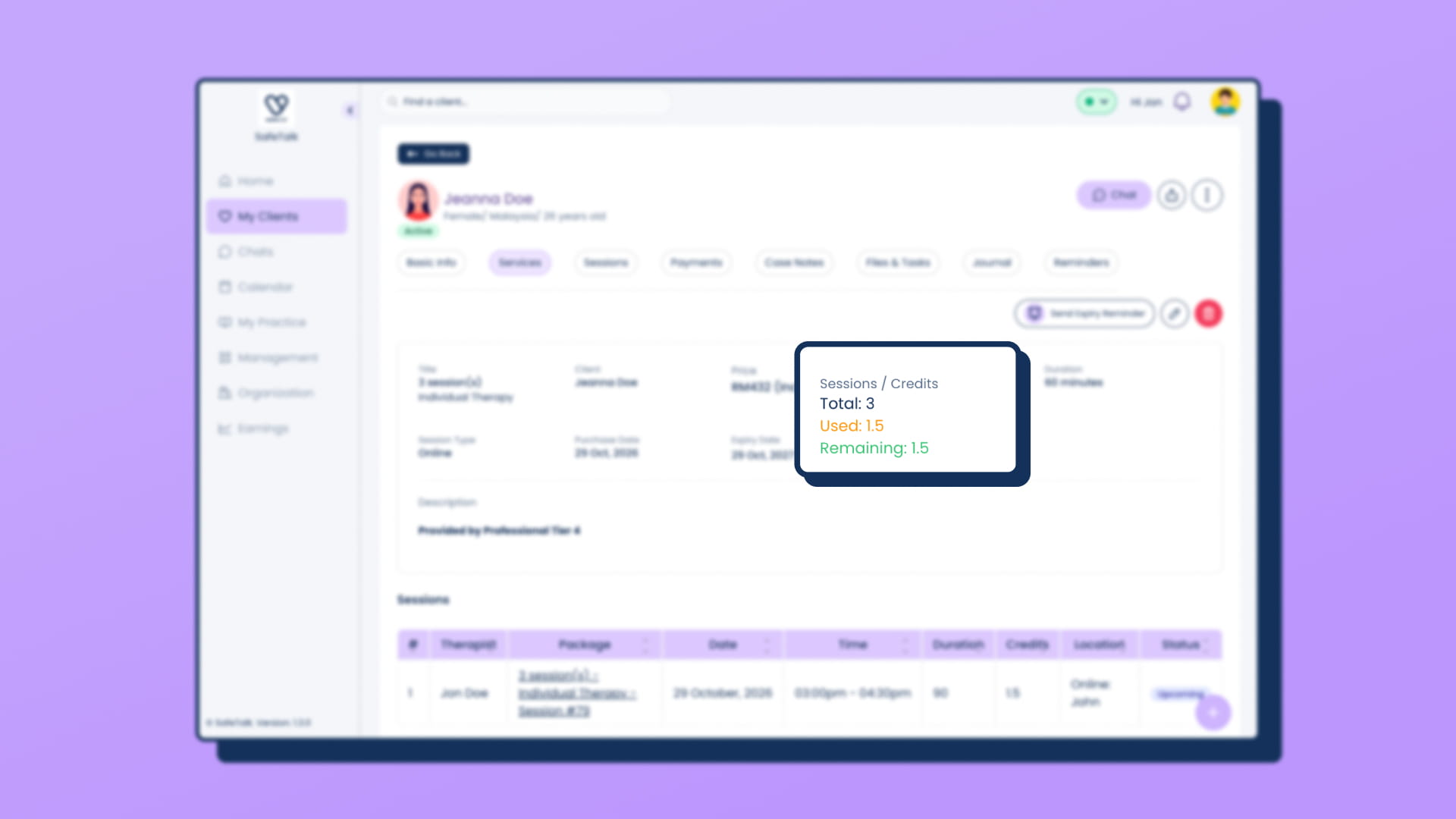
When booking as a therapist, the Services list also shows the used and remaining credits for existing packages.
Low credit balance
⚠️ Important: Clients need at least one available credit to book using a an existing service package. That means let’s say Client A, has a package with 5 total credits, but have utilized 4.5. They will see the package with 0.5 credits initialized, but they won’t be allow to make a booking, instead they will see an message when trying to book (the message says: You don’t have sufficient credits to book this session. Please contact your therapist to arrange your session)
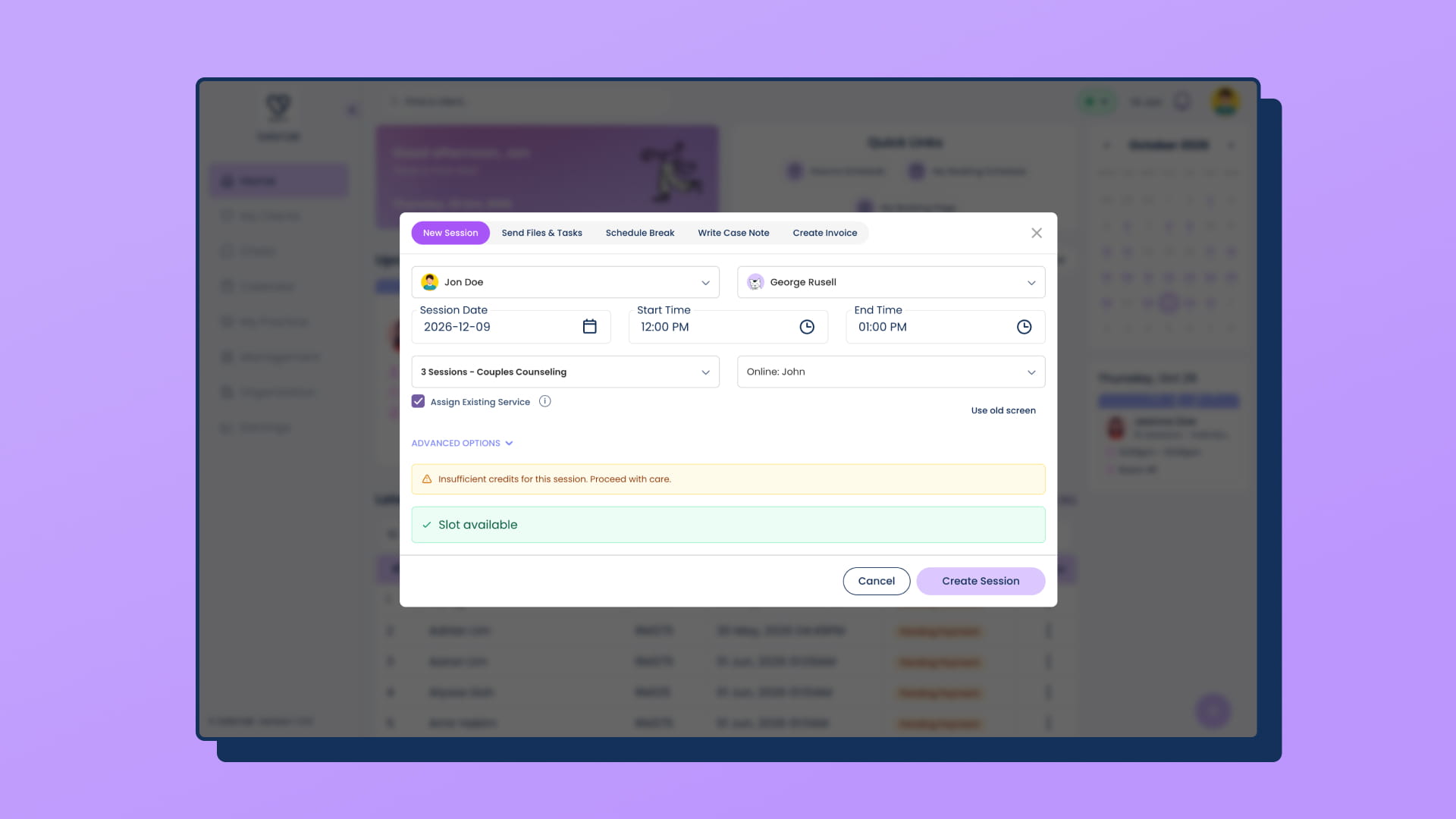
A therapist can still go ahead and book the session, but SafeTalk will show a low-credit warning.
Learn more
For help setting up services and packages, see How to Manage Your Therapy Services on SafeTalk. For help assigning a package to a client, read Assigning Service Packages to Clients.