
How to Set Different Prices for Online and In-Person Therapy Sessions

Shavkat Aslamshoev
1 year ago
Offering both online and face-to-face therapy? Here’s how you can set different prices for each in SafeTalk – quick and simple.
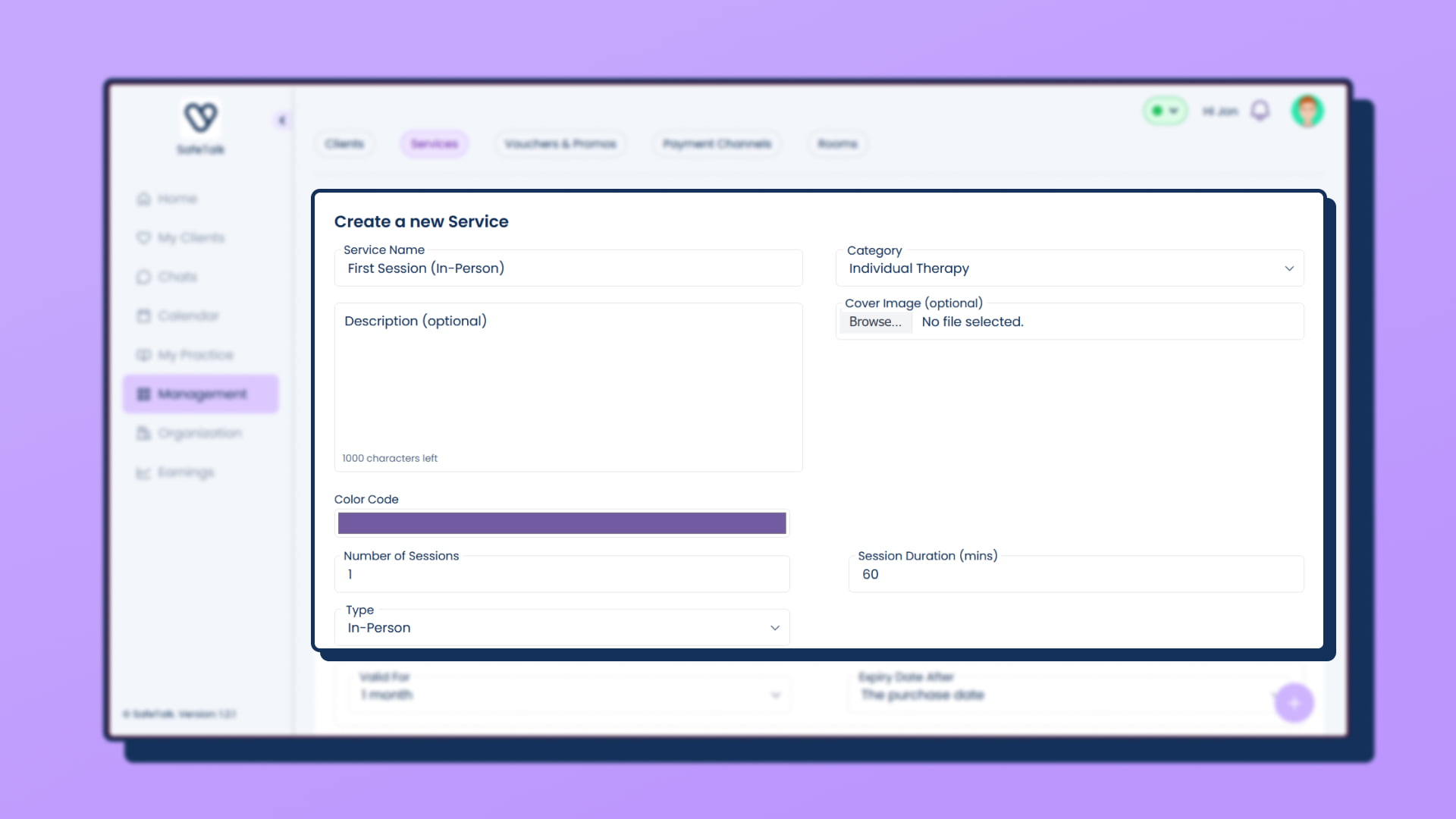
Step 1: Create Two Services
- Go to My Practice → Services
- Add one for each mode:
- Individual Therapy (Online) – e.g. $150
- Individual Therapy (Face-to-Face) – e.g. $250
- For each one of these, Under Type, choose Online or In-Person respectively
Step 2: Update Your Schedule
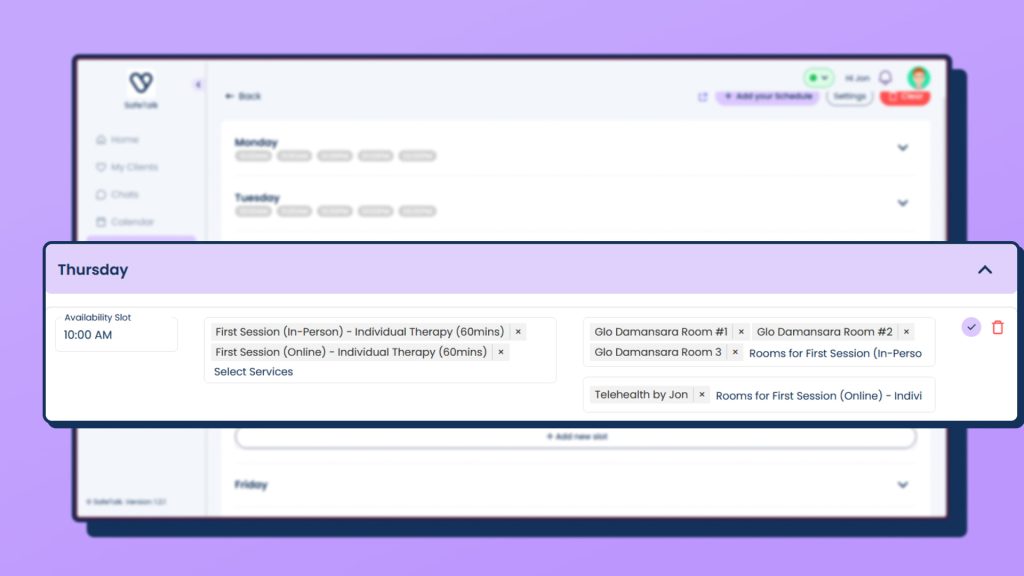
- Go to My Practice → Booking Schedule → Manage Availability
- Add both services to your time slots
- In the Room column:
- Pick your Online Room for online sessions
- Pick your Physical Room for in-person sessions
Now your clients will automatically see the right price based on the session type they book.
Bonus Tip:
If you use different payment methods (like PayPal for overseas clients or Bank Transfer for locals), go to Management → Payment Channels and create two channels such as:
- “PayPal (for Foreign Clients)”
- “Bank Transfer (for Local Clients)”
👉🏻 How to Setup your Payment Methods on SafeTalk
That’s it, two easy steps to keep your pricing clear and your practice organized
Was this article helpful?
YesNo