

As a therapist, sometimes you need to schedule an appointment on behalf of the client. SafeTalk gives you flexibility to do this, whether you prefer using your calendar or do it from anywhere in the system.
In this guide, we’ll focus specifically on the different ways to schedule a session. Let’s go!
Multiple Ways to Book a Session
There are two methods of creating an appointment on SafeTalk
– From your Calendar page
– Using Quick Access
– Using Create a Session Page (this method will be removed in the near future as it is outdated)
3 Different Ways to Book a Session on SafeTalk
1. Book a Session From Your Calendar
- From the sidebar, go to Calendar.
- While using your mouse, click on your preferred date & a popup window will open. The window will automatically pre-fill the date & you need to select the time, client, location & package and create your session
If your availability schedule is set & you will see the grey booking slots in your calendar, just click on your preferred time. The popup will appear & your selected date & time will be pre-filled. Next select the client, service package and location & click create.
You can also do this through the Room Calendar:
- Go to Management → Rooms
- Click the calendar icon at the top right of the selected room
- Follow the same booking steps
2. Book a Session Using Quick Create
Quick Create is a window that allows you to quickly access multiple functions in SafeTalk. For booking purposes, select Create Session inside Quick Create.
Click the Quick Access (+) button at the bottom right and select Quick Create of the screen and choose Create Session, or use:
- ⌘ + K (Mac)
- Ctrl + K (Windows)
This opens the exact same window as the previous step, but you need set the date & time manually.
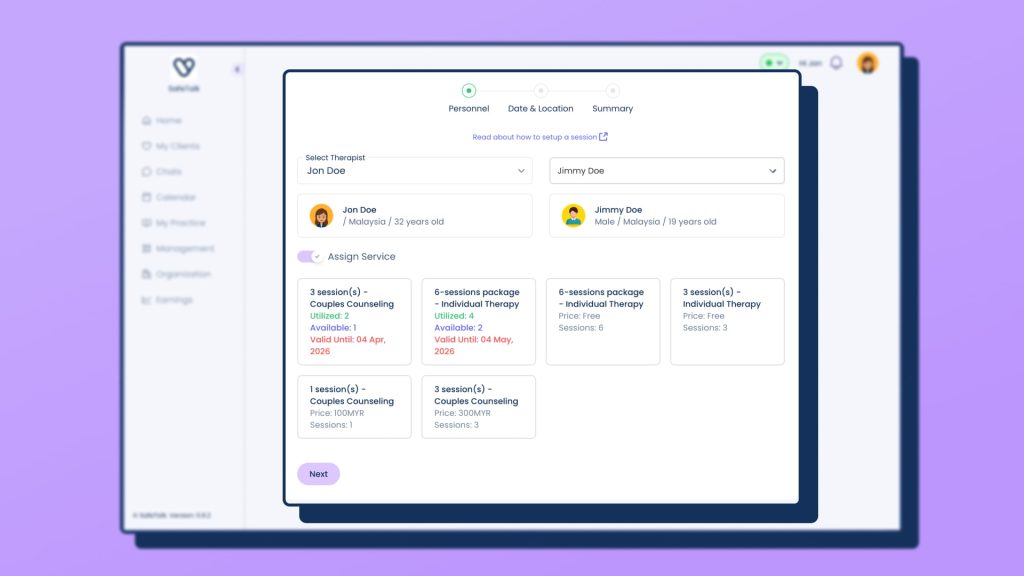
3. Create a session page (deprecated)
⚠️ Note: This method will be deprecated in the near future as we transition to a simpler and improved way to create your sessions
Choose the Entry Point That Fits Your Workflow
Choose the method that matches how you work. Set up your availability first to enable faster autofill and smoother scheduling.
About Author