
When managing therapy sessions online, accurate time tracking is essential. Therapists and clients may be in different cities, countries, or even continents. That is where timezones become important.
This guide explains what timezones are, how they work inside SafeTalk, and how they can be updated if needed.
What Is a Timezone?
A timezone is a regional setting that determines the current local time for a user.
For example:
- Malaysia uses MYT (UTC+8)
- London uses GMT or BST depending on daylight savings
- New York uses EST or EDT
Because therapists and clients may be located in different regions, SafeTalk uses timezone information to display the correct local session times for each user.
How SafeTalk Detects Your Timezone
When a user signs up for SafeTalk, the platform automatically detects and stores the timezone based on the user’s device or browser settings.
In most cases, this works accurately without any manual setup.
However, there are situations where the detected timezone may be incorrect, including:
- Using a VPN
- Browser privacy or masking extensions
- Incorrect device timezone settings
- Remote desktop or virtual environments
If the wrong timezone is detected during signup, session times and deadlines may appear incorrectly until updated.
How Timezones Work Inside SafeTalk
SafeTalk automatically adjusts time-related information to each user’s local timezone.
This includes:
- Session times
- Upcoming appointments
- Due dates
- Calendar events
- Notifications and reminders
- Availability schedules
This ensures that both therapists and clients see the correct local time, even when they are located in different countries.
Example
A therapist in Malaysia schedules a session for 3:00 PM MYT.
A client located in Dubai would automatically see the session converted to their own local timezone instead of Malaysia time.
This helps reduce confusion and prevents missed sessions caused by timezone differences.
Timezones in Sessions, Emails, and Reminders
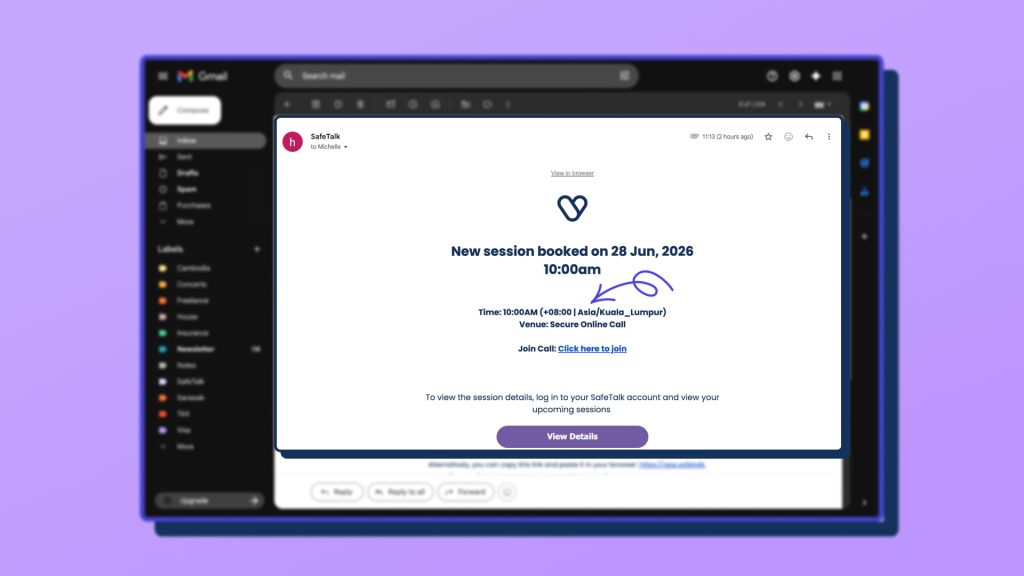
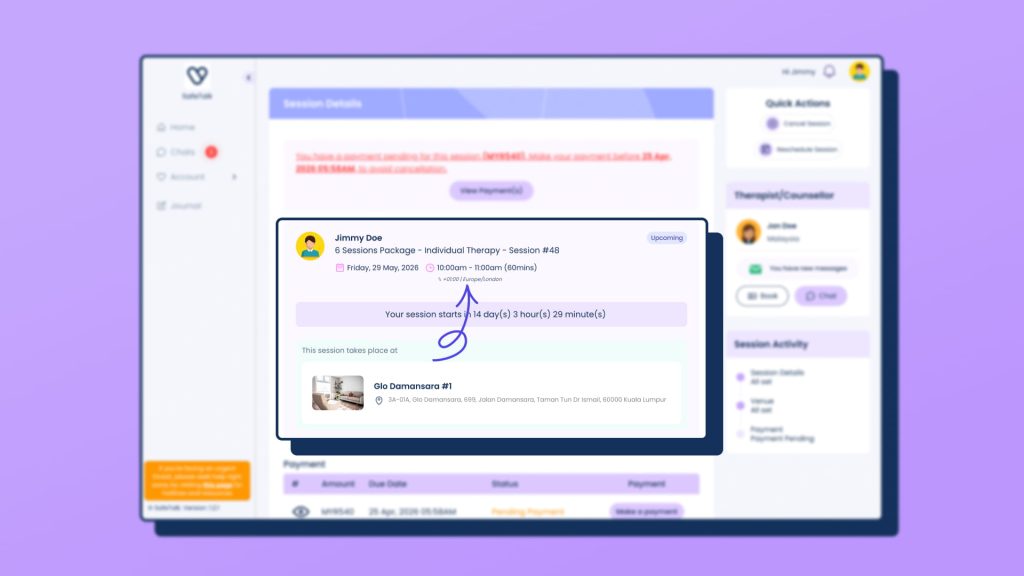
To reduce confusion and avoid missed appointments, SafeTalk always displays the timezone together with session times throughout the platform.
Timezones are also included in:
- Session booking confirmations
- Email reminders
- WhatsApp reminders
- Appointment notifications
- Calendar-related updates
This helps therapists and clients clearly understand which local time the session is scheduled for, especially when both users are in different countries or regions.
How Therapists Can Update a Client’s Timezone
If a client’s timezone was detected incorrectly, therapists can manually update it.
Steps
- Go to My Clients
- Open the client’s file
- Click Edit
- Under Basic Details, update the timezone field
- Save changes
Once updated, all future session times and scheduling information will reflect the corrected timezone.
How Clients or Therapists Can Update Their Own Timezone
Users can also update their own timezone directly from their dashboard.
Steps
- Open Settings or Edit Profile
- Locate the timezone setting
- Select the correct timezone
- Save changes
After saving, SafeTalk will automatically display all times using the updated timezone.
Best Practice
To ensure accurate scheduling:
- Keep your device timezone settings correct
- Avoid masking browser location settings during signup
- Double-check your timezone after creating an account
- Update your timezone immediately if you relocate or travel frequently
Final Note
Timezone handling is one of the most important parts of online therapy scheduling. SafeTalk is designed to automatically localize session times for both therapists and clients, helping reduce scheduling confusion and ensuring everyone sees the correct time regardless of location.