

The moment you have been waiting for has arrived: you started a new therapy practice, it is exciting, this is a dream come true moment for you. But after sometime, and the reality kicks in: so what now? How do you go about getting your first few clients & growing your clients base. Most therapists aren’t taught marketing in school and the online world can seem overwhelming.
You don’t need fancy ads or big budgets for this. We are compiling a set of articles with steps & guides(that are mostly free) to help new clients discover you naturally.
Let’s continue with Part 3: Make It Easy to Contact You

Give Clients a Clear Next Step
Making it easy for clients to contact your therapy practice starts with one thing: imagine someone finds your website, reads about your services, likes what they see, and decides they want to talk to you.
What happens next?
Don’t make potential clients search through your website to figure out how to contact you. Make the next step obvious with a clear button that says something simple like Book an Appointment, Contact Me, or Get Started.
Think of this button as a signpost. Wherever a client is on your website, it should be easy to spot and tell them exactly what to do next. A good place to start is your homepage, your service pages, your therapist profile, and your contact page.
The button itself doesn’t need anything technical — it’s simply a link. It can take people to your contact page, open an email, or lead to a booking page (more on that in the next section).
Add Your Contact Information
Your contact information should be easy to find.
At a minimum, consider including:
- Phone number
- Email address
- Practice location
- Opening hours
- Online booking link
You can include this information in your website footer so that it is available on every page.
If you work online or serve clients across different locations, explain this clearly as well. Potential clients should be able to quickly understand whether your services are available to them.
Tip: Check your contact information regularly. A phone number or email address that no longer works could mean a missed client enquiry.
Make Online Booking Available
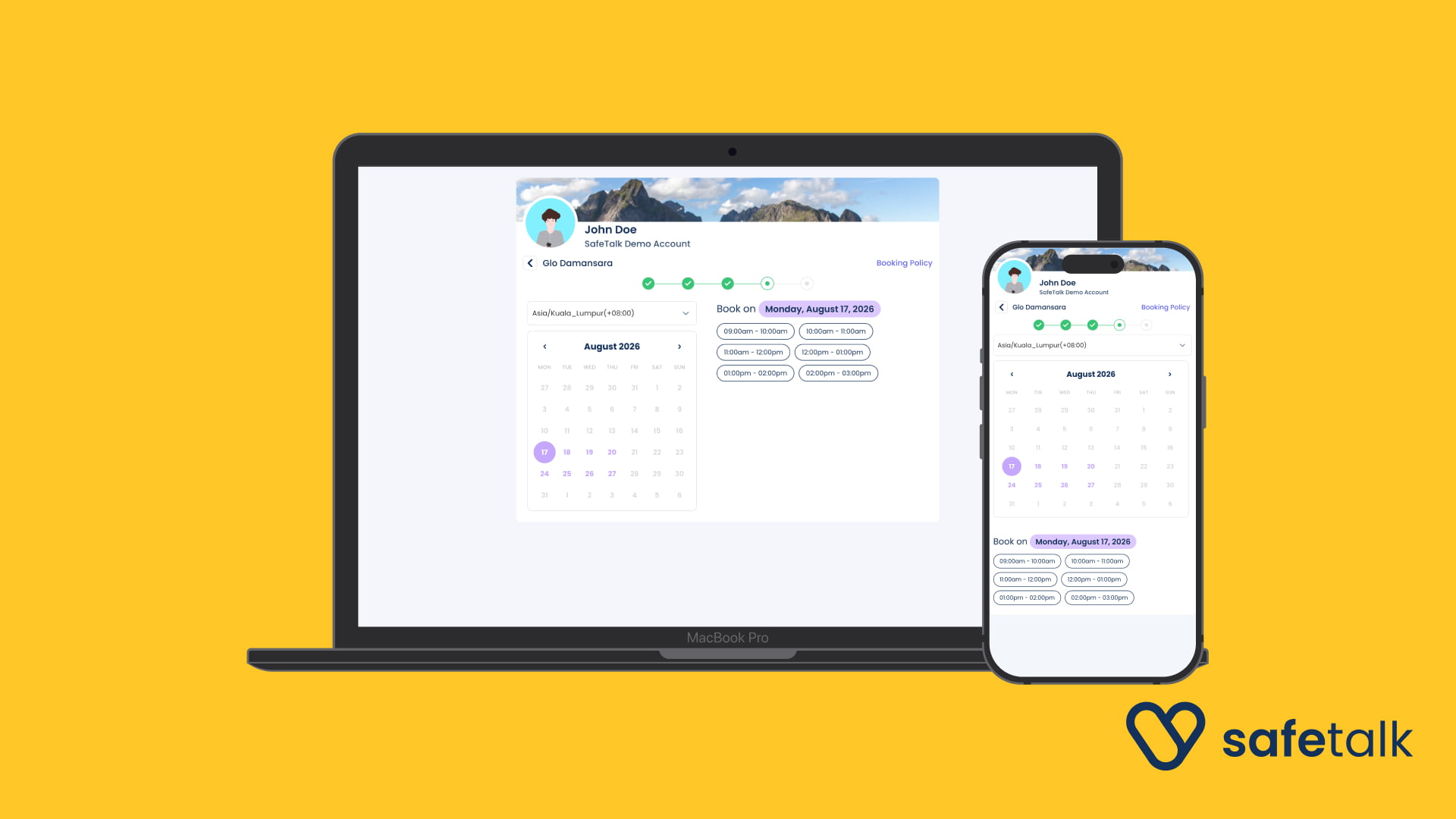
The button above tells clients what to do. Online booking is the tool that lets them actually do it — without having to call you or wait for a reply.
Many potential clients prefer to book an appointment themselves rather than make a phone call or send an email and wait to hear back. Online booking lets them see the times you have free and pick one that suits them, right there on your website.
In plain terms, it works like this. You use an online booking tool (many are built for therapists and need no technical setup). You tell it which days and times you’re free, and it shows those open slots to clients. When someone chooses a time, it’s booked automatically and you both get a confirmation. This also saves you the back-and-forth emails trying to agree on a time.
Tip: One of the biggest advantages of online booking is that it works around the clock. A client can book an appointment late at night or over the weekend, even when you’re unavailable to answer the phone.
Keep Your Contact Forms Simple
A contact form is simply a small box on your website where someone can type their name and a message and send it to you, without opening their own email program. It’s one of the easiest ways for a nervous first-time client to reach out.
If you use one, don’t ask potential clients to fill out a long questionnaire just to get in touch. A few fields are usually enough to start the conversation:
- Their name
- Their email address (so you can reply)
- A short message
The more information you ask for, the more effort someone has to put in before they’ve even spoken to you — and the more likely they are to give up halfway. You can always ask for the rest later, once they’ve made contact and feel comfortable.
Tip: Test your contact form regularly by filling it in yourself and checking that the message actually arrives in your inbox. Forms can quietly stop working after website updates, and you’d never know a client tried to reach you.
Make Sure Your Phone Number Is Easy to Use
If you accept phone calls, make your phone number easy to find — don’t bury it at the bottom of a page.
On a mobile phone, a number can be made “clickable” — one tap and the call starts. Without this, someone has to memorise or copy the number and type it in by hand, and some people won’t bother. Most website builders let you turn a phone number into a clickable link, or your web helper can set this up for you.
The same idea applies to other ways people can reach you. If you use WhatsApp or another messaging app for enquiries, add a link people can tap to open a chat with you, rather than just showing the number and hoping they save it.
Tip: Only list the phone numbers and messaging apps you actually check. There’s nothing more frustrating for a potential client than sending a message and never hearing back.
Make Your Website Mobile-Friendly
“Mobile-friendly” simply means your website looks good and works properly on a phone, not just on a computer. This matters because a large number of people will discover your practice on their phone while out and about.
The easiest way to check is to try it yourself. Open your website on your own phone and go through it as if you were a potential client. Can you find your services? Can you find your contact information? Can you book an appointment without pinching to zoom in or fighting with tiny buttons?
As you look, pay particular attention to:
- Buttons that are easy to tap — big enough for a thumb, not tiny links crammed together
- Booking links that actually work on a phone
- Contact forms that are easy to fill in on a small screen
- Text that’s easy to read without zooming in
- Pages that load properly and don’t run off the edge of the screen
This matters for another reason too. Google mostly looks at the phone version of your website when it decides where to rank you, so a site that works poorly on mobile can be harder for new clients to find in the first place.
Answer Questions and Respond Promptly
Answer the basic questions a client has before they reach out, then make sure their enquiries don’t get lost once they do.
Your website should make these easy to find:
- Do you offer online sessions?
- Where are you located, or what’s your service area?
- How much does a session cost?
- How do I book?
Then stay on top of replies. This matters more in therapy than most fields: reaching out can take real courage, and someone who hears nothing back may not try again. Check your email, forms, and phone messages regularly, and aim to reply within 24 hours, even if it’s just to say when you’ll follow up. If you use online booking, clients can often book without waiting for a reply at all.
A Simple Contact Checklist for Therapists
Before you finish, check that you have:
- A clear Book an Appointment or Contact button
- Your phone number and email address clearly displayed
- Your practice location or service area listed
- Your opening hours available where relevant
- An online booking option
- A simple contact form
- A mobile-friendly website
You don’t need to change everything at once. Start by visiting your own website as if you were a potential client and see how easy it is to contact or book with you.
Final Thoughts
Getting potential clients to discover your practice is only the beginning. Once they find you, make it as easy as possible for them to take the next step.
A clear contact page, simple booking process, easy-to-find information, and mobile-friendly website can make a big difference to the experience of someone looking for a therapist.
Start with the basics, test the process yourself, and make improvements where you find friction.
About Author