
Configuring Billing Information and Invoice Settings in SafeTalk

SafeTalk helps you maintain professional and consistent billing records by allowing you to configure your billing information and invoice settings.
The information you provide will appear on invoices generated by SafeTalk, making it easier to manage your practice records and client payments.
Where to Find Billing Settings
You can find your billing information and invoice settings under:
Management → Payment Channels → Scroll down to Billing Info
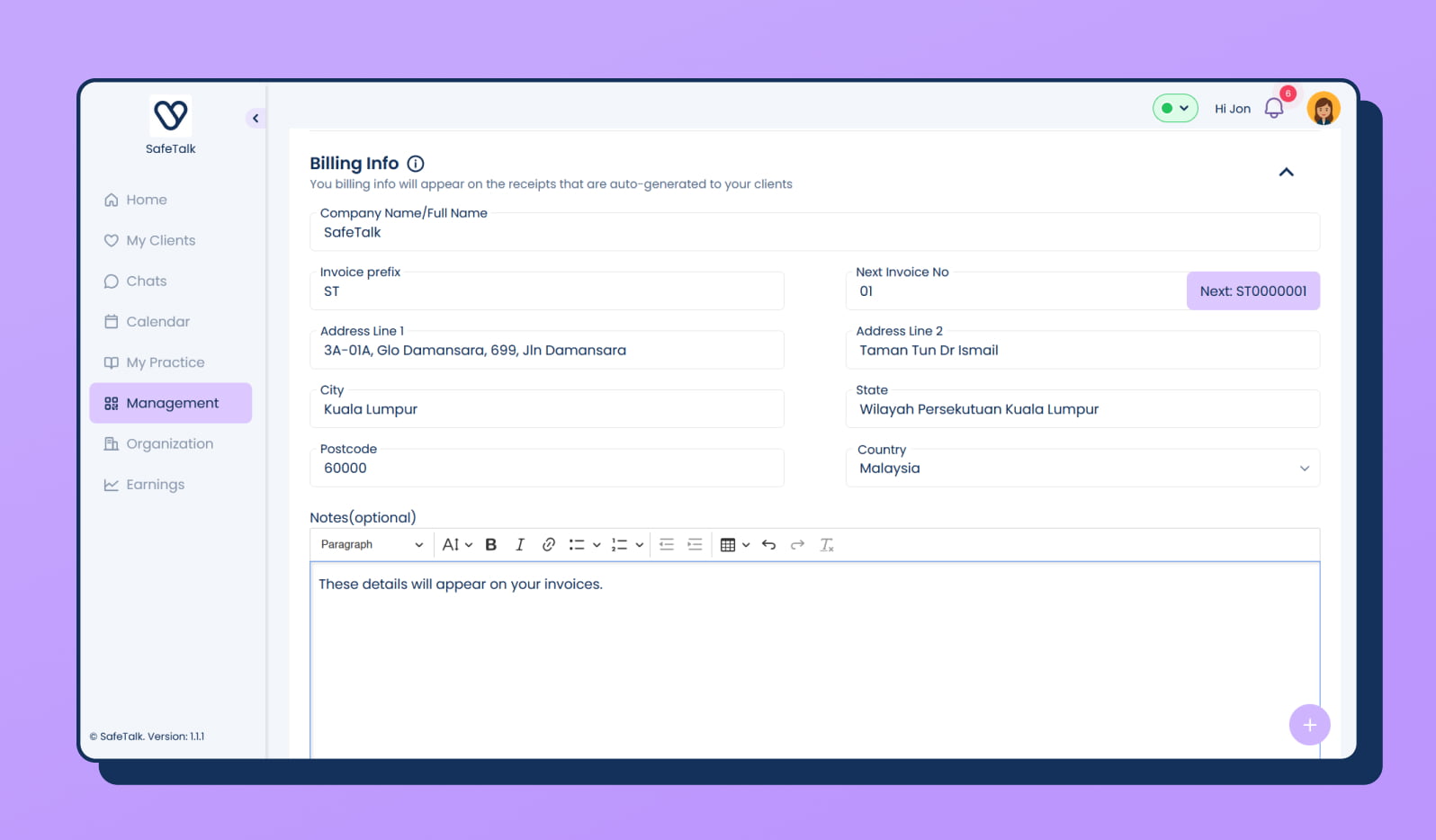
From there, you can update your company name, billing address, invoice settings, and other details that appear on your invoices.
Setting Up Billing Information
From your billing settings, you can configure:
- Company name
- Billing address
- Invoice prefix
- Next invoice number
- Additional invoice notes
These details will automatically appear on invoices generated through SafeTalk.
Why Configure Invoice Details?
Keeping your billing information updated helps you:
- Maintain consistent records
- Provide professional invoices to clients
- Prepare accurate financial documentation
E-Invoicing in SafeTalk
SafeTalk supports E-Invoicing to help practices manage their billing process more efficiently.